One Commander and one deck per player.
Learn the alpha in one scroll
Choose a Commander. Control three lanes. Break through.
Leets: Circuit Clash is a one-versus-one card game. Build around a Commander, deploy Units, use Tactics and Modules, and reduce the opposing Commander from 30 Health to zero.
You can learn in solo play without a wallet. Friendly Battle requires a currently owned Leet, but playing a match does not create a wallet transaction.

Example Commander
Your Leet shapes the kit
Each lane holds one Unit per side.
Your Commander stays outside the deck.
Keep them or replace any once.
Reduce the opposing Commander to zero.
The sixty-second version
How a match works
Units contest matching lanes. If the opposing side of a lane is empty, a Ready Unit in that lane can attack the opposing Commander instead.
 Opponent
30 Health
You
30 Health
Opponent
30 Health
You
30 Health

Hold or open a lane
Attack the opposing Unit in the same lane. No Unit there? The Commander is exposed.

Spend Energy
Energy pays for cards and abilities. It refills and grows as your turns progress.

Act in any legal order
Play cards, attack, or use abilities until you choose Review End Turn.

Reach zero first
Damage is applied to Shield first, then Health or Integrity. Zero Commander Health ends the match.
Your first-match route
From sign-in to result
- 1Sign in
- 2Review Briefing
- 3Prepare Commander
- 4Save legal deck
- 5Choose a mode
- 6Confirm opening hand
- 7Play and review result
Sign in with Google, or use the code sent to your Gamer Center email.
Chapter 1 · Get ready
Play tells you what’s ready. Prepare lets you change it.
These are the two main alpha destinations. Start on Play, use the Briefing if you want a quick refresher, and open Prepare for your Commander or deck.
1
Start on Play
Follow the useful next action
- Briefing: five short lessons covering Commander, deck, opening hand, arena, and turn controls.
- Readiness: confirms your active deck, Academy Commander, wallet, and Friendly Commander state.
- Modes: Practice, Daily Circuit, and Friendly Battle appear with any blocker explained.
- Account and history: check Scrap, Gamer Center XP, reward delivery, and your latest result.
2
Choose your Commander
Solo and Friendly use different Commander access

Practice and Daily
An Academy Frame is ready without a wallet. Use it to learn and test your deck.

Friendly Battle
Connect a wallet, find an owned Leet, then confirm and select it before matchmaking.
-
01
Connect the wallet you want to use.
This loads the Leets currently visible in that wallet.
-
02
Find a Leet by artwork or token number.
Missing artwork does not mean the Leet is missing or invalid.
-
03
Select it and complete the ownership check.
The game checks again when you enter Friendly.
3
Check your deck
Exactly 30 cards. Commander separate.
The alpha supplies one editable Academy Starter deck. It is a real account-owned deck, so you can adjust it as your collection grows.
- 30
- cards in the active deck
- 2
- maximum copies of most cards
- 1
- maximum copy of a Unique card
- 0
- Commander cards inside the deck
- You can only add cards your account owns.
- Unsaved changes are not used in the next battle.
- If the deck becomes invalid, Prepare explains what to repair.
- Look for 30/30 cards and Deck ready.
Choose a mode
Three ways to play in the alpha
All three use the same core rules. Pick the level of pressure and competition you want.
 Solo · Repeatable
Practice
Play a clearly labelled AI opponent. The AI’s choices are shown, making this the easiest place to learn.
 Solo · Daily setup
Daily Circuit
Face the same daily AI setup as other players. The first completed run carries extra daily value.
 Player versus player · Unranked
Friendly Battle
Enter matchmaking with a verified owned Leet. Hands stay private, and an active match can be resumed.
If Friendly search takes too long, you can leave the queue or use the offered Practice fallback.
Chapter 2 · Know your cards
Three card types, three different jobs
Every card shows an Energy cost. Units also show Attack and Integrity. Read the rules text before committing—once a legal action is confirmed, the battle moves on.

Occupies a lane
Units stay on the battlefield, attack from their lane, and have Attack and Integrity values.
-
 Attack is damage dealt.
-
 Integrity is how much damage the Unit can
take.
Integrity is how much damage the Unit can
take.

Resolves once
Tactics create an immediate effect—damage, repair, Shield, a draw, or another short change—then go to the Scrap pile.
- Some need a highlighted target.
- Others resolve as soon as you confirm them.
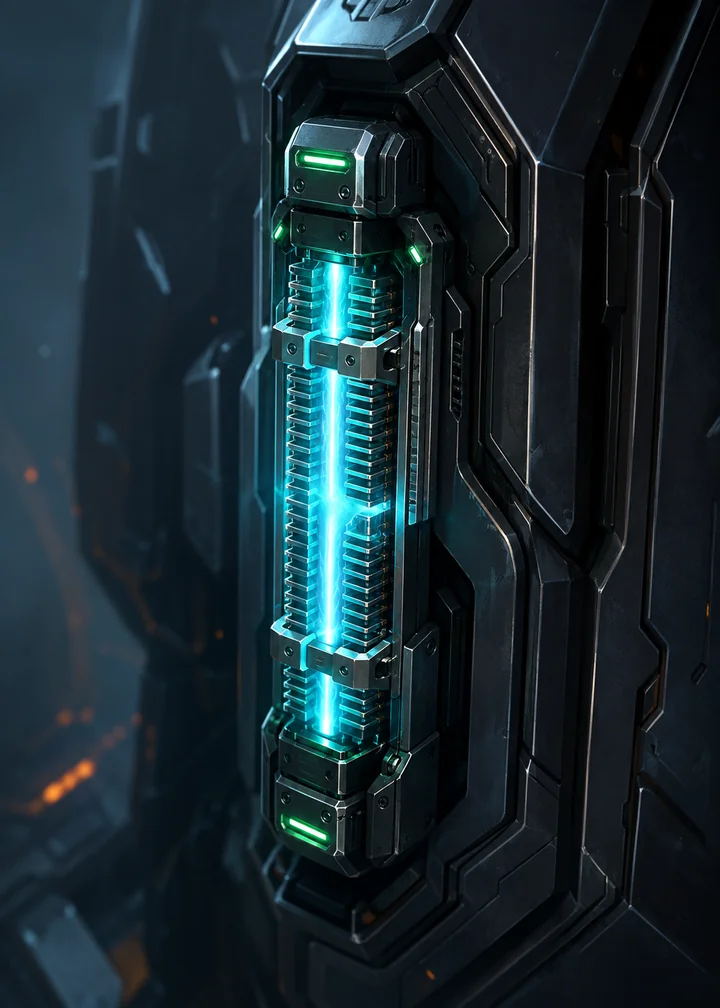
Attaches to a Unit
Modules stay attached and change a Unit’s Attack or Integrity. Each Unit has one Module slot.
- Choose the friendly Unit to receive it.
- Replacing a Module scraps the old one after confirmation.
4
Before Round 1
Choose your opening hand
Five cards are dealt. Select any cards you want to replace, then confirm. You can keep all five, replace all five, or choose anything between.
-
01
Swipe or scroll through all five.
Do not judge the hand from the first visible cards alone.
-
02
Select cards to replace.
The card changes from Keeping to Replacing.
-
03
Confirm once.
Replacement cards are dealt and the match begins when both players finish.
Who acts first?
The starting player skips the first normal draw. The second player receives an extra generated card called Overclock to help balance going second.
Chapter 3 · Play the battle
Read the arena from top to bottom
The scoreboard tells you who is active. The lanes show threats and openings. Your action prompt and hand sit near the bottom, while extra controls float over the right edge.
-
1
Commander panels
Names, portraits, Health, and Shield. The opponent panel can become a target.
-
2
Round and turn
Shows the round, active player, and Friendly countdown.
-
3
Opponent lanes
Units on the far side block Commander attacks in their matching lane.
-
4
Your lanes
One Unit can occupy each of your left, centre, and right lanes.
-
5
Unit state
Booting, Ready, or Exhausted tells you whether a Unit can act.
-
6
Action area
Placement, targeting, cancellation, and Review End Turn use this shared position.
-
7
Your hand
Swipe or scroll the framed rail. Card costs are visible at the top.
-
8
Control rail
Open Available Actions, Commander abilities, battle menu, and other supporting controls.
One turn, six checks
Take actions in any legal order
-
1
Check Energy
Only cards and abilities you can afford are available.
-
2
Choose a source
Select a card, a Ready Unit, or a Commander ability.
-
3
Follow the highlights
Legal lanes, Units, or Commander targets are made unmistakable.
-
4
Confirm the action
The contextual prompt replaces Review End Turn while a decision is active.
-
5
Check Available Actions
Use it whenever you are unsure what remains legal.
-
6
Review End Turn
The game warns if meaningful actions are still unused.
Read Unit state before selecting
Booting, Ready, Exhausted
Preparing
A newly deployed Unit normally waits. A Unit with Rush may act sooner if its rules allow.
Can act
Select the Unit to see its legal attack targets. Ready Units are refreshed at the start of your turn.
Already acted
The Unit cannot attack again until it becomes Ready, unless another effect changes its state.
Worked example
Place, target, attack
Select a source first. The arena then shows only the legal places or targets for that action.

When you do not know what to click
Open Available Actions
It is the complete list of legal moves for the current state. You can also attack an exposed Commander by selecting its highlighted scorecard or the contextual Attack Commander button.
Damage, Shield, and Repair
Shield absorbs damage first. Damage that remains reduces Commander Health or Unit Integrity. Repair restores lost Health or Integrity up to its maximum; it does not restore Shield.
Unit combat
When a Unit attacks the opposing Unit in the same lane, both deal their Attack damage at the same time. A Commander does not retaliate when attacked through an open lane.
Commander abilities
Your Leet’s six traits create passives and three visible ability slots. Hands is a direct ability, Antenna uses a turn cooldown, and Chest spends Ultimate Charge. The interface shows the exact cost, target, and availability.
Ultimate Charge
Charge can build from spending enough Energy, taking enough Health damage, and card or Commander effects. Chest abilities spend Charge when their requirement is met.
Destroyed Units and a full hand
A destroyed Unit and its attached Module move to the Scrap pile. Your hand can hold nine cards; an extra draw beyond that limit is scrapped.
Running out of deck
If you need to draw with an empty deck, Core Overload damages your Commander. Repeated empty draws deal increasing damage.
Chapter 4 · Finish well
Review the turn, then read the result
Review End Turn is a safety check, not a requirement to spend everything. If meaningful actions remain, inspect them, cancel, or end the turn anyway.
Return to the same battle state without ending the turn.
Open the complete current legal-move list.
Pass control to the opponent and leave those actions unused.
6
After the final action
Outcome, reason, rewards, next step
- Outcome: Victory, Defeat, or Draw.
- Reason: Commander defeated, concession, timeout, or the round limit.
- Rewards: Scrap, Gamer Center XP, and any earned cards.
- Delivery: XP may briefly show as pending and retry automatically.
- Next: choose another mode or review the saved replay.
Replay shows the saved sequence of moves that produced the result. It is a readable match history, not a scrub-through video.
How a match ends
Four result paths
Commander defeated
One Commander reaches zero Health.
 Concession
One player confirms that they are leaving the battle.
Repeated timeout
A player misses enough timed turns for the match to resolve.
 Round limit
The game compares Commander Health, surviving Unit Integrity, then deck size; an exact tie is a Draw.
Ready for match one?
First-match checklist
Tick these off as you prepare. Your choices are saved only in this browser.
Alpha now and what may follow
The core game is here. The alpha will shape the next priorities.
This section separates what you can use now from likely areas of investment. It is direction, not a dated promise or release schedule.
Playable now
- Focused Briefing and supplied editable starter deck
- Owned-Leet Commander selection for Friendly
- Practice and Daily Circuit against transparent AI
- Unranked two-player Friendly matchmaking
- Three-lane battles, Commander kits, and current card pool
- Scrap, Gamer Center XP, card rewards, history, and replay
Strengthen and expand
- More cards and strategies.Broader archetypes, balance work, and clearer counterplay.
- More resilient Friendly play.Matchmaking, reconnect, moderation, recovery, and anti-cheat foundations for more players.
- Player recovery and support.Clearer error recovery, moderation, reporting, and support paths as more players join.
- Ranked after the foundations are ready.Only after population, stability, matchmaking, balance, and anti-abuse controls support it.
Longer-term possibilities
Ideas the core game can grow into
- Richer solo challenges
- Asynchronous community play
- Commander mastery and quests
- Crafting and deeper collection goals
- Spectating and tournaments
- Seasonal events and presentation upgrades
These are possibilities, not selected features or promises.
Help when something feels unclear
Quick answers and plain-language terms
Start with Available Actions during a match. For preparation problems, check the exact readiness message on Play or Prepare.
Common questions
Do I need a Leet to play?
No for Practice and Daily Circuit: they use an Academy Frame. Yes for Friendly Battle: you must select a Leet currently owned by your connected wallet.
Does a match create a wallet transaction?
No. The wallet is used to find and confirm the Leet you own for Friendly eligibility. Playing cards and resolving the match happen inside the game.
Why can’t I start a match?
Check whether the deck is legal and saved. Friendly also needs a connected wallet and a Ready, Selected owned-Leet Commander. Play shows which requirement is missing.
Why can’t I find my Leet?
Confirm that you connected the correct wallet, refresh the collection, and search by token number. If ownership changed, select a Leet currently in that wallet.
What if Commander artwork is missing?
The game may show a fallback icon while media is unavailable. That does not by itself remove the Commander’s identity or prove that ownership is lost.
I selected a card or Unit. What next?
Follow the highlighted lane, Unit, or Commander target and use the contextual prompt. If no next action is obvious, cancel and open Available Actions.
Can I resume after a refresh or lost connection?
Active matches are saved and can be resumed. In Friendly, the turn countdown continues while you are away, so return promptly.
Why is Gamer Center XP pending?
Your local match reward is saved first. If XP delivery is delayed, the result explains that it is pending and the game retries automatically.
Glossary
Find a term
- Academy Frame
- A game-native Commander used for Practice and Daily Circuit. It does not require a wallet and cannot enter Friendly.
- Available Actions
- The complete list of legal moves in the current battle state.
- Booting
- A Unit that is preparing and normally cannot act yet.
- Commander
- The leader outside your 30-card deck. Reduce the opposing Commander from 30 Health to zero to win.
- Daily Circuit
- A solo mode with a shared daily AI setup and extra value for the first completed run.
- Energy
- The in-match resource used to play cards and activate some Commander abilities.
- Exhausted
- A Unit that has acted and cannot attack again until it becomes Ready or an effect changes it.
- Friendly Battle
- Unranked live player-versus-player matchmaking for players with a verified owned-Leet Commander.
- Health
- The Commander’s remaining durability. Reaching zero ends the match.
- Integrity
- A Unit’s remaining durability. A Unit at zero is destroyed.
- Lane
- One of three matching battlefield paths: left, centre, or right. Each side can place one Unit in each lane.
- Module
- A card that attaches to a Unit and persists, changing its Attack or Integrity.
- Opening hand
- The first five cards. Before Round 1, you may replace any of them once.
- Practice
- A repeatable solo match against a clearly labelled, transparent AI opponent.
- Ready
- A Unit state meaning the Unit can act.
- Repair
- Restores lost Commander Health or Unit Integrity up to its maximum.
- Scrap
- An account reward earned from matches. It is separate from the in-match Scrap pile.
- Scrap pile
- The in-match destination for destroyed Units, used Tactics, replaced Modules, and some overflow cards.
- Shield
- Temporary protection that absorbs damage before Health or Integrity.
- Tactic
- A card that resolves an immediate effect once, then moves to the Scrap pile.
- Ultimate Charge
- A Commander resource spent by the Chest ability when its charge requirement is met.
- Unit
- A card that occupies a lane, has Attack and Integrity, and can attack while Ready.
No matching term. Try a shorter word.

Your best first move
Review Briefing, then play Practice once.
That gives you the arena, opening hand, targeting, and end-turn rhythm before another player is waiting.